Free
Adventure Screen Savers
Fly
the Legend! - Wings Over Cape Town
- Big Adrenaline Rush!
Dive South Africa! - Strikemasters
Over Sydney
Download
your Incredible Adventures Screen Savers for PC's with Windows
95/98/NT4/2000. All
display full-size color photographs by renowned adventure travel
photographers. Self-installing, fully configurable, high quality
(32-bit) with cool transition effects.
Note: with sound where indicated (requires soundcard).
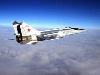
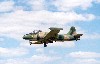
Fly
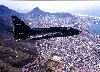
the Legend! Featuring
fighter jets from our MiGs Over
Moscow, Edge of Space
and Wings Over Cape Town
programs. Photos by Max Dereta. With sound.
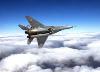
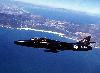
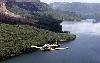
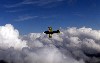
Wings
Over Cape Town Featuring fighter
jets from our Wings Over Cape Town program at
Thunder City by Max Dereta. With sound.
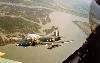
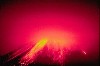
The
Big Adrenaline Rush!
Featuring the color photographs of award-winning photographer
Jay Dickman. Self-installing, fully configurable, high quality
(32-bit) with sound and cool transition effects.
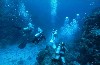
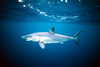
Dive
South Africa! Underwater photography
featuring seals, sharks, whales, dolphins and more. Beautiful
images and sounds of the undersea world - the next best thing
to being there.
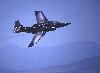
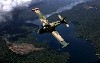
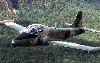
Strikemasters
Over Sydney featuring
fighter jets from our Strikemasters Over Sydney Adventure
in Australia. Displays
full-size color photographs of the Strikemaster in flight over
beautiful Sydney.
Warning! --- Warning! --- Warning!
Some of
these screen savers come with sound turned ON!
If you're in an office or similar situation, you may wish to
mute the sound feature right away. (Don't
say we didn't warn you!) Here's
how to mute the sound feature.
If
you should experience any difficulties in downloading, call
us: 1-800-644-7382
- - - - - - - - - - - - - - - - - - - - - - - - - -
- - - - - - - - - - - - - - - - - - - - - - - -
 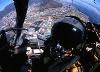 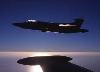
Fly the Legend
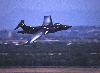 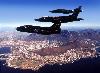 
Wings Over
Cape Town
Strikemasters
Over Sydney
The Big Adrenaline
Rush! (Costa Rica)
Dive
South Africa!
More
Incredible Adventures Screen Savers and other cool FREE STUFF
coming soon! Add your name to our mailing
list to receive notification.
|
|
Send
this page to a friend:
Feel free to send this screen
saver, or this page, to your friends and relations.
|
To
tell a friend about this FREE Screen Saver, CLICK HERE!
More
Cool Stuff:
  
- - - - - - - - - - - - - - - - - - - - - - - - - - - - - -
- - - - - - - - - - - - - - - - - - - -
How
to Mute the Sound feature of your Screen Saver:
From your
Start Menu select (click on) Settings; then select
Control Panel; select Display; from the Display
Properties dialog, select the Screen Saver tab; select
Settings; select the Multimedia tab; check the
box at the bottom where it says Mute Sounds.
Now select
OK; back at the Display Properties dialog, select
OK; close the Control Panel window. Done.
|